1. Introduction to PDF Compression and Digital Delivery
The Adobe Portable Document Format (PDF) has reigned supreme as the gold standard of online document distribution for over three decades. Its strength lies in structural consistency: whether you open a PDF on an ultra-modern mobile phone, a low-powered office terminal, or feed it into a professional printing press, every font, vector layout, layer, and border remains locked securely in place.
Unfortunately, this high-precision structure comes with a heavy storage footprint. A single corporate presentation, legal affidavit, or job application folder can easily stack up to 40MB or more due to embedded high-resolution graphics, embedded font coordinates, and unoptimized layout layers. Shrinking these files without losing readability is the primary goal of modern client-side document optimization.
2. Why Email PDF Size Matters: Understanding Email Provider Limitations
Strict limitations on digital transport lines are a common challenge when sending files online. When you attempt to attach a 30MB contract folder to an outgoing message, your webmail system will likely stop you, demanding that you upload the file to a cloud drive (like Google Drive or Microsoft OneDrive), or reject the message entirely.
To help you stay within limits, here is a breakdown of the maximum attachment sizes permitted by major global email services:
| Email Service Provider | Maximum Attachment Limit | Behavior Above Max Limit |
|---|---|---|
| Gmail (Google Workspace) | 25 Megabytes (MB) | Converts attachment automatically into a Google Drive link. |
| Outlook (Microsoft 365) | 20 Megabytes (MB) | Blocks mailing and asks user to upload attachment to OneDrive. |
| Yahoo! Mail | 25 Megabytes (MB) | Prevents attachment upload, showing an error dialog alert. |
| Apple iCloud Mail | 20 Megabytes (MB) | Suggests Mail Drop delivery, which expires in 30 days. |
These limits apply to the raw file size, but email protocols (like MIME) also encode attachments into text lines, which can increase the overall transfer size by up to 33%. This means a 19MB attachment could exceed a strict 25MB server limit. Keeping your PDFs well under limit (e.g., around 5MB or 10MB) is the best way to ensure smooth delivery.
3. Step-by-Step Instructions on How to Compress PDF Online Using GetFixMyFile
Our specialized Compress PDF utility runs directly inside your web browser, preserving your data privacy. Follow this straightforward step-by-step tutorial to optimize your attachments:
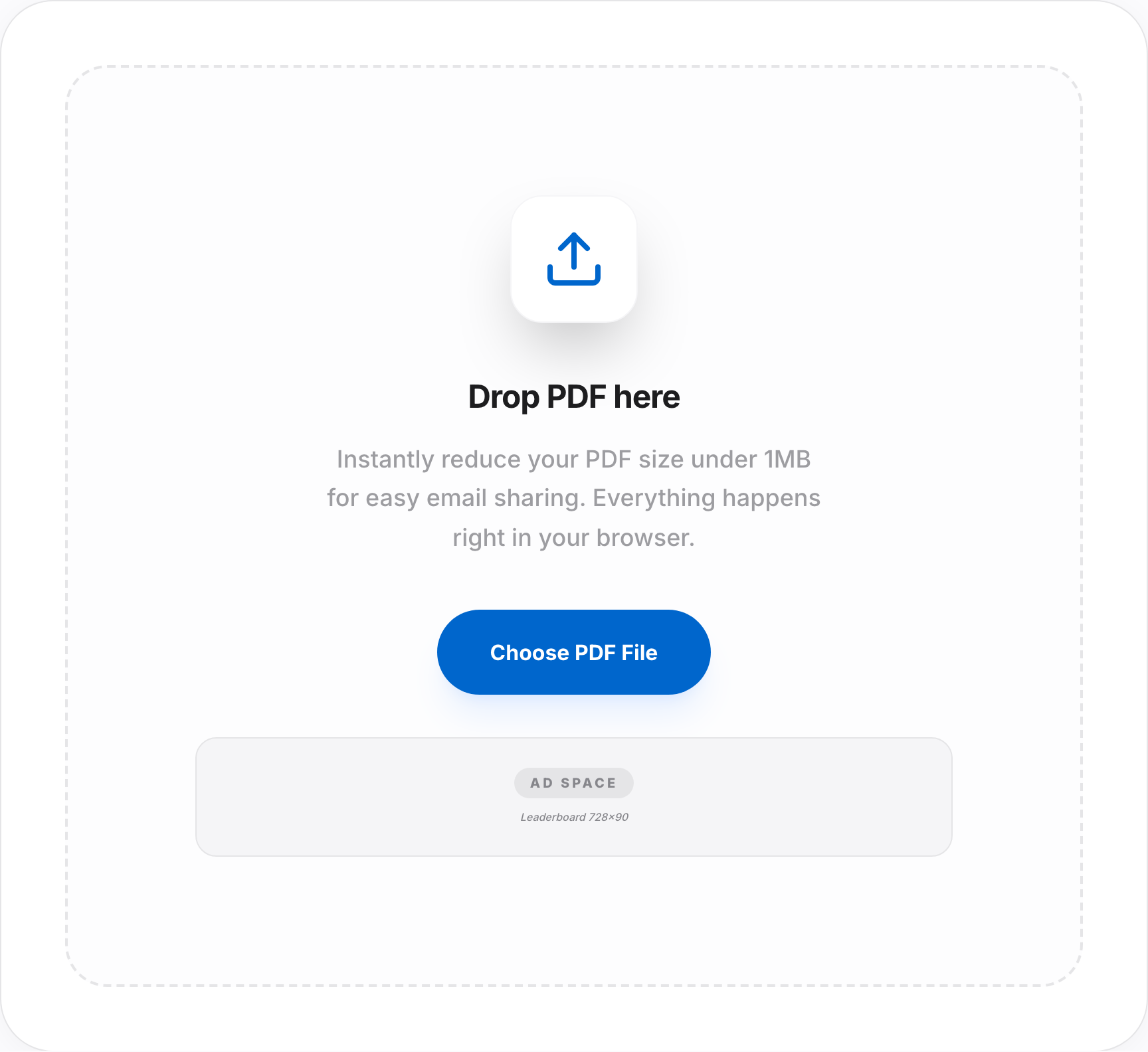
- Access the Workspace Panel: Navigate directly to our secure Compress PDF Tool.
- Ingest Your Target Document: Pick the large PDF document on your local directory and drag it directly into our dashed upload zone. Alternatively, click within the zone to trigger a local file browser selection.
- Choose Your Target Compression Level: Select from our tailored compression settings to balance file size and visual metrics nicely.
- Confirm Client Processing: Click the "Compress PDF" button. Our local browser script will process your document in seconds.
- Save Your Result: Click "Download Compressed PDF" to save the newly optimized document directly to your device.
Reduce Your PDF File Size Right Now!
Our security-first tool compresses files inside your browser, protecting your corporate assets and personal text lines.
Compress Your PDF File4. Common Compression Pitfalls to Avoid
While optimizing files is relatively simple, many users run into a few typical pitfalls. Keep these mistakes in mind to get the best results:
- Using Extreme Compression Settings: Choosing an overly aggressive compression setting on documents with fine details can make numbers, decimals, and clauses unreadable. Always double-check your exported files before sending.
- Compressing Scanned PDFs over and over: Re-compressing scanned documents can result in heavy distortion. We recommend using our PDF to JPG Tool to extract pages first, then packaging them inside a clean PDF file using our JPG to PDF utility.
- Failing to Inspect Critical Disclaimers: Portals can reject blurry document scans. Make sure key identification features and text lines remain legible after compression.
- Exceeding Portal Memory Limits: Large documents can cause browser tabs to hang. Compress smaller sections or fewer pages at a time.
5. Best Practices for Maintaining Visual File Quality
To get the best balance of file size and visual clarity, consider these best practices:
- Utilize Clean Vector Fonts: Stick to standard vector fonts like Arial, Helvetica, Times New Roman, and Courier. These fonts are lightweight and render perfectly across different platforms.
- Flatten Multi-Layer Layouts: Interactive annotations, complex forms, and drawing vectors add storage weight. Flattening your fields inside a standard PDF layout helps keep the overall file light.
- Rely on In-Browser Processing: Local, in-browser processing is much faster than cloud-based tools. It avoids network lines completely, keeping your personal folders and worksheets safe on your local hard drive.
6. Frequently Asked Questions (FAQ) Regarding PDF Optimizations for Email
Q1. Is there an absolute ceiling limit for Gmail file attachments?
Yes, Gmail strictly caps attachments to 25MB per email message. Oversized attachments are automatically converted into Google Drive links.
Q2. How is my confidential information protected on GetFixMyFile?
We prioritize your data privacy. All extraction, compilation, and compression math occurs locally inside your active browser, so your files are never transmitted to our servers.
Q3. Does compression change file page dimensions?
No, basic PDF compression does not stretch or warp page dimensions. It adjusts graphic parameters and metadata details while keeping the layout locked.
Q4. Can I compress a password-protected PDF document?
Password-protected PDFs have highly encrypted content caches. You will need to unlock the PDF using your passkey before compressing it.
Q5. Will compressing my PDF affect hyperlinks and inline shapes?
No, standard compression does not strip away vector shapes, hyperlinks, bookmarks, or interactive indices.
Q6. Can I combine separate files into a single optimized PDF?
Absolutely. Use our specialized Merge PDF Tool to bundle separate files, then run our Compress utility to optimize the size for easy email delivery.
Q7. Why did my file attachment trigger a bounce back error?
Some corporate and school servers set extremely strict limits (often 5MB or 10MB) for incoming attachments. If your email bounces back, keep optimizing until your attachment fits under these limits.
Q8. Do you support docx adjustments for email?
Yes! You can convert docx files to cohesive formats using our Word to PDF tool, then apply compression to keep the file size minimal.
Q9. Do I need to pay or register for a subscription to use this utility?
No, all tools on GetFixMyFile are 100% free with no hidden charges, limitations, or watermarks.
Q10. Can I decompress my file back to its original high-resolution size?
Lossless compression can be reversed, but lossy compression adjusts graphic data permanently. Always keep a backup of your original high-resolution files.